Your apps, finally talking.
Form to HubSpot to Slack to Gmail. Built in your accounts, no retyping.
 Slack #sales: Sara scored 92
 Gmail Reply drafted for Sara
 Google Sheets Row 214 added
Apps connected: a new lead from Typeform becomes a HubSpot deal, a Slack alert, a drafted Gmail reply and a Google Sheets row.







Pick your apps. See what gets built.
Choose two or three of the tools you already use and see the workflow we would build between them.
Meher builds
When a Typeform comes in, Meher creates a HubSpot deal and pings #sales on Slack.
Build this for me

What Meher handles
Workflow automation connects the tools you already use so a task in one starts the next step in another. A form fills the CRM, a PDF becomes clean data, a new lead gets a reply in seconds. AI adds the reading and writing. You stay in charge of every decision that matters. Start with CRM automation, document data extraction or an AI teammate.


Before and after
Sound like your week?

Tuesday: 40 new orders copied into the sheet automatically. Nobody typed.

Client invoices read, coded and filed by document data extraction. Month-end took one afternoon.

New lead in HubSpot, ping in Slack, intro email sent in eleven seconds with speed to lead.
 Video coming soonWatch us connect five apps (60s)
Works with your tools




Keep reading
Questions people ask
Not on the list? Ask us directly
How much does AI automation cost for a small business?
It depends on how many tools we connect, how many steps the process has, how much AI reading or writing it needs and how it handles errors. CRM connections are the usual driver. We quote one number after a short call. Tool subscriptions are separate.
How long does setup take?
A form to CRM to Slack flow takes about a week. CRM automation and document extraction take about 10 days. An AI teammate or knowledge base takes about 14. Custom agents take about 3 weeks.
Do I need to change my tools?
No. We connect what you have, such as HubSpot, Zoho, Google Workspace, Slack, Airtable or Notion. If a tool has no API or connector, we say so up front.
Who owns the automations?
You do. Everything runs in your accounts, under your logins. If you stop working with us, the workflows stay with you, documented. No lock-in.
Zapier, Make, n8n or a custom build?
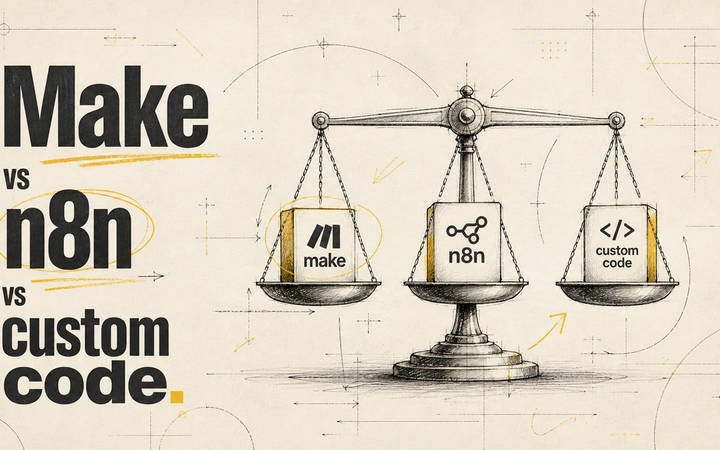
Make and n8n suit most small teams: more control, lower cost at volume. Zapier is simple but gets pricey. Custom code is for odd cases. We pick by volume and tools. See Make vs n8n vs custom code.
What cannot be automated?
Judgment calls, sensitive replies and anything with unclear rules. Payments, contracts and legal answers wait for a person to approve. If a person would hesitate, the automation pauses. See human oversight in automation.
Is my data safe?
It stays in your accounts, and AI only sees the fields it needs. We follow GDPR and CCPA, use least-access permissions and keep a run log of every step. You can revoke access any time.
What happens if a step fails?
We get an alert, and the run pauses instead of sending bad data. Most fixes land before you notice. If an app changes its API, we update the flow. We do the monitoring that a plain Zapier subscription does not.
Get my Workflow Automation plan
Tell us what eats your week. We come back with what we would automate first, and what it takes.

 Meher, Ira and Arjun are on it.