
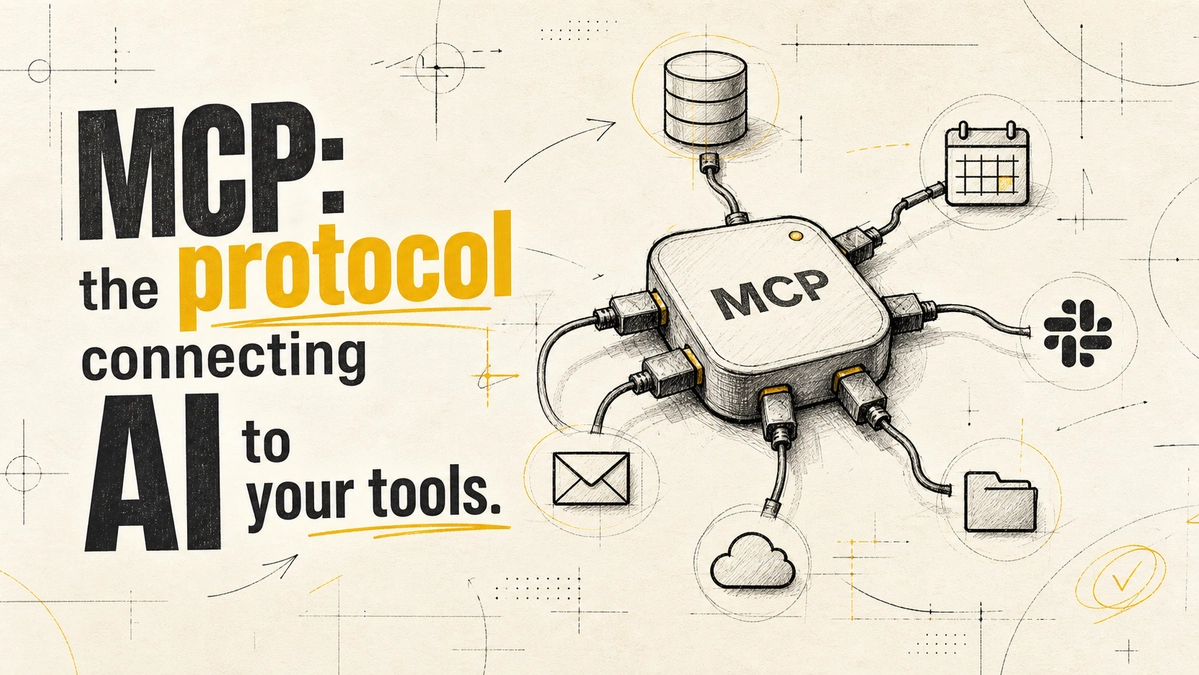
What Is MCP? How the Model Context Protocol Connects AI Agents to Your Tools
The Model Context Protocol (MCP) is an open standard that lets an AI application connect to outside tools and data, such as a CRM, a file store, or a database, through one common interface instead of a custom integration for each pairing. Anthropic introduced it in November 2024 to replace fragmented, one-off connectors with a single protocol [1].
For a business, the practical effect is simple: set up an MCP server for a system once, and any MCP-compatible AI client can use it. This guide explains how MCP works, where it genuinely saves effort, and the security work it does not do for you.
How MCP Works
MCP has three parts:
- Host: the AI application a person uses, such as a chat assistant or a coding tool.
- Client: the connector inside the host that talks to one MCP server.
- Server: a small program that exposes a system's capabilities, for example "search tickets" or "create invoice", in a standard format.
When a user asks the assistant to do something, the model sees which tools the connected servers offer, picks one, and the client calls it. The server does the actual work against your system and returns the result. The AI never needs to know the internals of your CRM; it only needs the tool description the server provides.
MCP vs Traditional Integrations
Before MCP, connecting an AI assistant to five business tools usually meant five custom integrations, each tied to one AI vendor. Switch vendors and you rebuild them. MCP separates the two sides: tool owners write a server once, AI products write a client once, and they meet in the middle.
| Question | Custom integrations | MCP |
|---|---|---|
| Build effort per tool | One integration per tool, per AI app | One server per tool, reused across MCP clients |
| Switching AI vendor | Usually a rebuild | Reuse servers if the new client supports MCP |
| Who maintains it | Your team, for every pairing | Often the tool vendor or community, plus your own servers |
| Best fit | One fixed workflow with one model | Several tools, several AI clients, or changing needs |
MCP is not always the right answer. If you only need one fixed automation, such as copying form submissions into a sheet, a workflow tool or a direct API call is simpler. MCP earns its keep when an AI agent needs to choose between several tools at run time.
Who Supports MCP in 2026
MCP is no longer one company's project. In December 2025, Anthropic donated it to the Agentic AI Foundation, a directed fund under the Linux Foundation co-founded by Anthropic, Block, and OpenAI, with support from Google, Microsoft, AWS, Cloudflare, and Bloomberg [2]. Anthropic said the project's governance model would stay the same, with maintainers continuing to prioritise community input [2].
Neutral governance matters for buyers. It lowers the risk that the standard you build on gets abandoned or locked to one vendor, though it does not guarantee every product implements it the same way. Check which MCP features your AI client actually supports before you build.
Where MCP Helps a Business
- Internal knowledge access. Let an assistant search your documentation, tickets, or wiki without pasting content into prompts.
- Cross-tool tasks. "Find this customer's open invoices and draft a follow-up" touches billing and email; MCP lets one agent reach both.
- Developer workflows. Coding assistants use MCP servers to read repositories, issue trackers, and databases.
- Less vendor lock-in. Servers you build today can be reused if you switch AI providers, as long as the new client supports MCP.
What MCP does not do: decide whether a process is ready to automate, clean your data, or add approval steps. Those still need the same groundwork as any automation. Our guide on when not to automate covers that decision.
MCP Security Risks to Plan For
Connecting an AI agent to real systems means the agent can act on them, so MCP raises the stakes on security rather than lowering them. The official MCP security guidance highlights risks such as the "confused deputy" problem, where attackers exploit proxy servers that connect to third-party APIs, and it explicitly forbids "token passthrough", where a server forwards tokens it never validated to downstream services [3].
Practical safeguards:
- Least privilege. Give each server only the permissions its tools need. A reporting server should not be able to delete records.
- Trusted servers only. Treat third-party MCP servers like any software dependency and review the source or vendor before connecting them to business data.
- Human approval for actions. Let agents read freely, but require confirmation before they send, pay, delete, or change anything important.
- Guard against prompt injection. Content an agent reads, such as an email or web page, can contain instructions meant to hijack it. Don't let untrusted content trigger high-impact tools without review.
- Log every tool call. Keep an audit trail of what the agent did, with which inputs, and on whose behalf.
How to Start with MCP
- Pick one high-value, read-only use case, such as answering questions from your help-desk tickets.
- Check for an existing server. Many popular tools already have official or community MCP servers.
- Connect it to one AI client using a limited-permission account, and test with real questions.
- Add write actions only after logging and human approval are in place.
- Measure the result against the manual process before expanding to more tools.
Frequently Asked Questions
What does MCP stand for in AI?
MCP stands for Model Context Protocol, an open standard for connecting AI applications to external tools and data sources through a common interface [1].
Is MCP the same as an API?
No. An API is how a single system exposes its functions. MCP is a standard way for AI applications to discover and call tools, and an MCP server often wraps an existing API so AI clients can use it.
Is MCP secure?
The protocol comes with security guidance, but safety depends on implementation: permissions, authentication, trusted servers, and human review of high-impact actions. Follow the official MCP security best practices before connecting business systems [3].
Do small businesses need MCP?
Only if an AI assistant needs to work across several of your tools. For a single fixed workflow, a no-code automation tool or a direct integration is usually simpler and cheaper.
MCP turns connecting AI to your tools into a standard problem instead of a custom one, which is real progress. It does not remove the need for clear processes, tight permissions, and human checkpoints. If you want help planning an MCP rollout, or deciding whether you need one at all, Website Vikreta's AI automation team can map it out with you.
References
- Anthropic — Introducing the Model Context Protocol (Nov 2024)
- Anthropic — Donating the Model Context Protocol and establishing the Agentic AI Foundation (Dec 2025)
- Model Context Protocol — Security Best Practices
Comments
Be the first to comment.
Related reads
How to Connect Your Business Tools with AI Automation (Without Creating a Mess)
Connecting your tools saves time only when AI is used in the right places. Here is how to plan integrations, where AI helps, and the mistakes to avoid.
Human-in-the-Loop Automation: How to Design Oversight Before You Go Live
Human oversight works only when it is designed before launch. Here is how to choose an oversight model, set approval triggers, build escalation, and avoid rubber-stamping.