
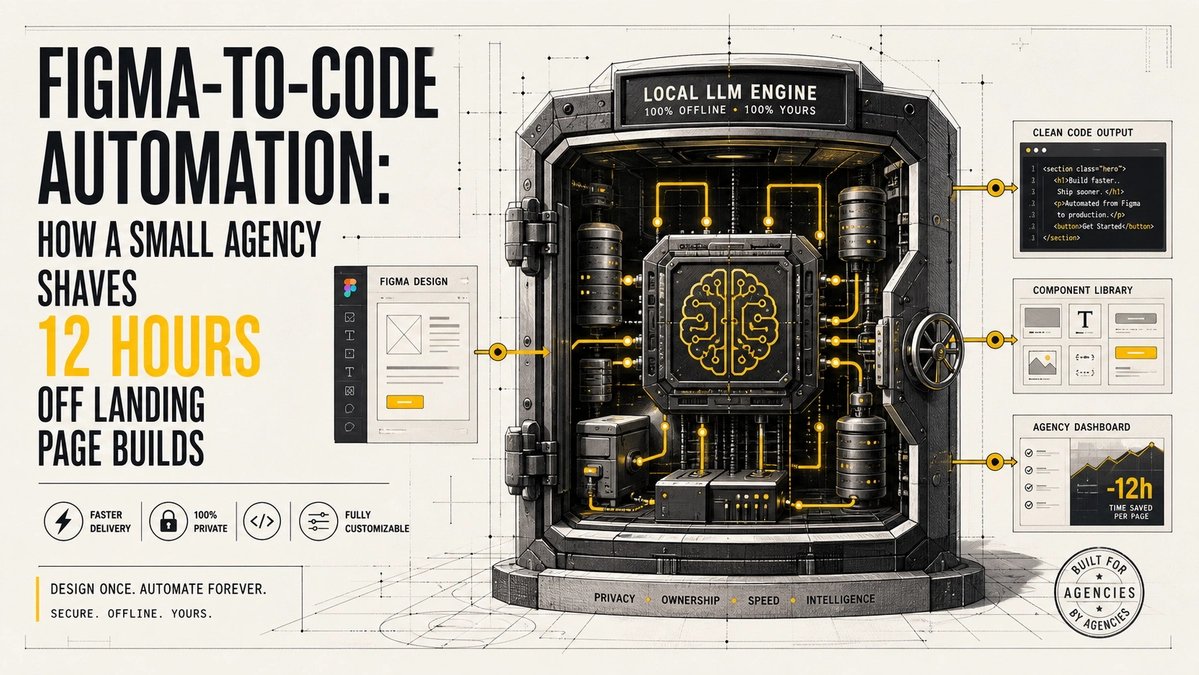
Figma-to-code automation: how a small agency shaves 12 hours off landing page builds

Figma-to-code automation cuts landing page build time from days to hours for small agencies with proven tools, measurable savings, and faster delivery.
Manual Conversion Burns the Most Hours
A standard static landing page takes a freelancer eight to sixteen hours and an agency two to three days when done by hand [1]. Developers measure pixels, copy spacing values, and rebuild every section from scratch. That process creates the exact bottleneck Figma-to-code automation removes. Agencies that keep the manual workflow absorb the full cost on every project while competitors move faster.
Manual rebuild remains the default for many small teams. Each section requires fresh measurement of spacing, fonts, and states. The hours add up fast across a monthly pipeline of marketing pages.
Real Tools Deliver Measurable Time Savings
Platforms such as Locofy, Anima, and Builder.io generate responsive React or HTML directly from Figma frames [3][7]. Enterprise teams report thirty to fifty percent reductions in UI implementation time [3]. Figma Dev Mode alone saves developers more than ninety minutes each week and lifts output by twenty to thirty percent, according to Forrester research [2]. One small product team built and launched a full landing page in three days by combining Figma with AI code tools [4]. A twelve-hour saving is realistic once the workflow is set.
Builder.io research across enterprise teams places the average reduction in UI implementation time at thirty to fifty percent [3]. Forrester’s Total Economic Impact study of Figma Dev Mode quantifies more than ninety minutes saved per developer each week and a twenty to thirty percent rise in output [2]. These figures hold when the design files follow a consistent structure.
| Tool | Typical Output | Best Fit | Cleanup Needed |
|---|---|---|---|
| Locofy | Clean React/HTML components | Agencies wanting maintainable code | Light to moderate |
| Anima | Fast React/Vue prototypes | Quick interactive previews | Higher for production |
| Builder.io | Structured React with visual CMS | Marketing pages that need editing later | Platform dependent |
| Figma Dev Mode | Inspection and snippets | Teams that still hand-code | N/A (handoff aid) |
The comparison draws from recent side-by-side tests of the same Figma designs [5].
Cleanup Time Still Exists but Shrinks Fast
Generated code often needs twenty to forty percent extra work for production polish [8]. Spacing drift, missing states, and accessibility fixes remain common. Yet that cleanup replaces the original full rebuild. Agencies that treat the export as a strong first draft rather than final code still finish far ahead of the old baseline. The net gain stays substantial after the extra polish.
Even after the polish step, the total hours stay well below the original eight to sixteen. The export supplies the structure and layout. Developers then focus on interactions, states, and final accessibility checks rather than rebuilding every frame from zero.
The Accuracy Argument Misses the Real Trade-Off
Critics claim the tools produce messy, unmaintainable code that fails pixel checks. That concern holds for complex product interfaces with heavy interaction logic. Landing pages are different. Most marketing pages use simple layouts and reusable sections. Teams that keep design files clean and use component mapping achieve high visual fidelity with only light review. The alternative of full manual coding costs more hours than the cleanup requires.
The accuracy critique applies mainly to dense product UIs with custom animations and deep state. Static and lightly interactive landing pages map cleanly when auto-layout and naming stay consistent. Visual fidelity on clean designs often reaches eighty-five to ninety-five percent before any manual touch [8]. The remaining gap costs far less time than a full hand rebuild.
Capacity Freed by Automation Compounds Across Clients
Every twelve hours saved on one page multiplies across a monthly pipeline. Agencies already lose one thousand to five thousand dollars each month on unbilled scope [9]. Faster builds free those hours for strategy, testing, or additional client work. Small teams that adopt the tools report higher throughput without adding headcount [3]. The result is better margins and the ability to take on more projects at the same quality level.
The hours reclaimed turn into capacity for testing, refinement, or new clients. One pilot page that finishes in a fraction of the old time quickly scales across the full workload. Throughput rises without new hires.
Start with Clean Figma Files and Clear Scope
The biggest gains appear when designs follow consistent auto-layout and naming. Export the core structure first, then refine interactions by hand. Agencies that train designers on export-ready files see the full twelve-hour reduction on most landing pages [6]. The workflow becomes predictable, and the client receives a live page sooner.
Clean files with proper auto-layout and component naming produce the strongest first draft. Teams that invest one or two pilot pages in process setup, then apply the same rules to every new design, capture the full time reduction.
FAQ
How accurate is the generated code for a typical landing page?
Visual fidelity often reaches eighty-five to ninety-five percent on clean static designs [8]. Interactive elements and complex responsive rules need manual checks. The structure arrives ready for polish rather than a full rewrite.
Which tools work best for small agencies right now?
Locofy, Anima, and Builder.io lead for React and HTML output [3][7]. Figma Dev Mode adds inspection value with almost no learning curve [2]. Choice depends on whether the team needs pure code export or a visual editing layer later.
Does the time saving include the cleanup step?
Yes. Even after twenty to forty percent polish, the total remains well below the original eight to sixteen hours of pure manual work [8]. The export removes the blank-canvas phase that once consumed most of the time.
Will clients notice the difference in code quality?
Most clients care about the live page speed and appearance. Clean structure and accessibility still require human review, but the visual result matches the design closely. Production polish stays the developer's responsibility.
How long does it take to set up the new workflow?
Most agencies see usable results after one or two pilot pages [6]. Full team adoption usually settles within a few weeks of consistent use. The first pages teach the naming and auto-layout habits that unlock the full gain.
What happens if the design file is messy or incomplete?
Cleanup time rises and visual fidelity drops [8]. Agencies that insist on export-ready files before conversion keep the twelve-hour saving intact. Training designers on those standards pays for itself on the next project.
Agencies that treat Figma-to-code automation as standard practice keep delivering faster pages without expanding the team. The hours reclaimed open space for the work that grows the business.
References
[1] VNA Infotech — Figma to Code Conversion Cost Time Process: https://vnainfotech.framer.ai/blog/figma-to-code-conversion-cost-time-process-explained
[2] Forrester TEI of Figma Dev Mode: https://tei.forrester.com/go/Figma/DevMode/docs/Forrester_TEI_The_Total_Economic_Impact%E2%84%A2_Of_Figma_Dev_Mode.pdf
[3] Builder.io — Design to Code AI Automation Guide: https://www.builder.io/guide/figma-design-to-code
[4] Dreamlit AI — How We Built Our Landing Page in 3 Days: https://dreamlit.ai/blog/how-we-built-our-landing-page
[5] SiteGrade — Figma to Code 2026 Tools Comparison: https://sitegrade.io/en/blog/figma-to-code-2026-tools-comparison-agencies/
[6] GenVibe — Figma to Code Complete 2026 Guide: https://genvibe.pro/blog/figma-to-code-complete-guide
[7] AIMultiple — Best Design to Code Tools: https://aimultiple.com/design-to-code
[8] OverlayQA — Figma to Code What Gets Lost: https://overlayqa.com/blog/figma-to-code/
[9] 12AM Agency — How Many Hours to Design a Website: https://12amagency.com/blog/how-many-hours-does-it-take-to-design-a-website-in-2025-a-data-driven-breakdown/
[10] Rocket.new — Figma to Landing Page Convert Designs: https://www.rocket.new/blog/figma-to-landing-page-convert-your-designs-to-code-with-ai
[11] Figma Blog — Forrester Analyzes the ROI of Dev Mode: https://www.figma.com/blog/forrester-analyzes-the-roi-of-dev-mode/
Comments
Be the first to comment.
Related reads
Unlocking the Value of AI Automation ROI in Workflow Transformation
Discover how transforming a 20-hour weekly workflow into just one hour demonstrates the powerful ROI of AI automation. Learn about the essential human oversight required.

Protecting Your Systems: Why AI Agent API Security is Non-Negotiable
AI agents with broad API access pose significant security risks. Learn why restricting access and implementing strong approval processes are crucial for your organization's safety.