
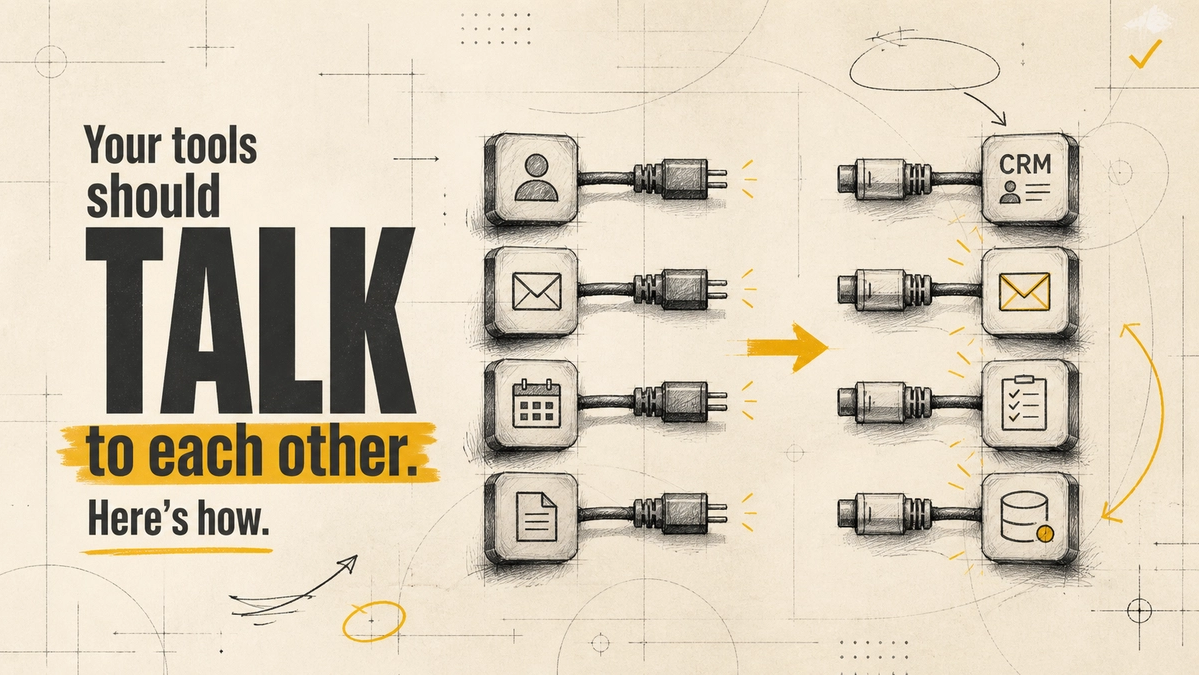
How to Connect Your Business Tools with AI Automation (Without Creating a Mess)

Connecting your tools with AI automation means wiring your apps together so data moves between them on its own, and using AI only for the steps that need judgement, such as reading an email, tagging its intent, or summarising a call. The rule of thumb is simple: plain automation for predictable steps, AI for messy ones, and a person for anything high-stakes.
Most teams don't need a giant platform to get there. They need one well-mapped workflow, a clear source of truth for each type of data, and a few safeguards. This guide shows how to plan that, where AI genuinely helps, and the mistakes that turn "connected" into "chaotic".
What Connecting Tools with AI Automation Actually Involves
There are three layers, and it helps to keep them separate:
- Integration: how two systems exchange data, usually through an API, a webhook, or a native integration the vendor provides.
- Workflow: the "when this happens, do that" logic, built in a tool such as Make, n8n, or Zapier, or in custom code.
- AI step: a model that handles unstructured input, such as classifying an enquiry, extracting fields from a PDF, or drafting a reply.
Many workflows need only the first two layers. Adding AI where a simple rule would do makes the system slower, costlier, and less predictable.
Signs Your Tools Need Connecting
- People re-type the same data into two or more systems.
- The same customer exists in your CRM, your invoicing tool, and a spreadsheet, with different details in each.
- Follow-ups depend on someone remembering to send them.
- Weekly reports are built by hand from exports.
- New enquiries sit in an inbox until someone notices them.
If two or more of these sound familiar, there is likely a workflow worth automating. Start with the one that costs the most time or loses the most leads.
Where AI Adds Value and Where It Doesn't
| Task | Best handled by | Why |
|---|---|---|
| Copy a new form lead into the CRM | Plain automation | The data is structured and the rule never changes |
| Read an incoming email and tag its intent | AI | Free text needs interpretation |
| Send a price quote or refund | Rules plus human approval | Mistakes are costly and hard to undo |
| Summarise call or meeting notes | AI, reviewed by a person | Useful draft, but it can miss or invent details |
| Sync invoice status to the CRM | Plain automation | Predictable, high-volume, easy to verify |
An April 2026 MIT study of more than 20 large companies found that the most mature AI projects combined several technologies rather than relying on generative AI alone [1]. One company used a language model to read and categorise customer enquiries but used rules-based bots to send the actual replies, because it could not predict exactly what the model would say [1]. That split, AI for understanding and fixed logic for commitments, is a good default.
How to Connect Your Tools: A Step-by-Step Plan
- List your tools and pick a system of record. For each type of data (customers, invoices, tasks), decide which system holds the truth. Everything else syncs from it.
- Map one workflow end to end. Write down every step, who does it, and where the data goes, including the workarounds nobody likes to admit.
- Choose the integration approach. Use a native integration if one exists, a no-code tool for simple flows, and custom code when volume, logic, or security demands it. Our comparison of Make.com vs. n8n vs. custom code helps with that choice.
- Add an AI step only where the input is unstructured. Keep it narrow: one job, one clear output format.
- Build in error handling. Every workflow needs alerts when a step fails, plus a place where failed items wait for a person.
- Measure before and after. Track time per task, error rate, or response time so you know whether the automation actually helped.
Example: Automating a Website Enquiry Flow
Here is a common pattern, shown as an illustration rather than a client result:
- A visitor submits the contact form.
- The workflow creates or updates the contact in the CRM, so there is one record.
- An AI step reads the message and tags it as sales, support, or spam.
- Sales enquiries are assigned to the right person, and the AI drafts a reply.
- The salesperson reviews and sends the reply. Nothing reaches the customer unchecked.
Every step except the tagging and drafting is plain automation. The AI handles only the part that needs reading comprehension, and a person stays in control of what goes out.
Common Mistakes When Connecting Tools
- No single source of truth. Two-way syncs between three tools create duplicate and conflicting records.
- Automating a broken process. If the manual process is unclear, automation just repeats the confusion faster. See when not to automate before you build.
- Silent failures. An expired API key can stop a workflow for weeks if nobody gets an alert.
- Over-broad permissions. Give integrations only the access they need, especially AI steps that can write data.
- No owner. Someone must be responsible for each workflow, or it decays as soon as a tool changes.
Frequently Asked Questions
What is the first step to connect business tools with AI?
List the tools you use, decide which one is the source of truth for each type of data, and map one high-impact workflow end to end. Only then choose tools and decide where AI fits.
Do I need AI to connect my tools?
Often not. Moving structured data between apps is plain automation. Add AI only for steps that involve free text, documents, or judgement, such as classifying enquiries or extracting invoice fields.
Can small businesses benefit from connected workflows?
Yes. Small teams often feel the cost of re-typing data and missed follow-ups most, and a few well-built workflows on a no-code tool can remove much of that work without a large budget.
How much does AI automation cost?
It depends on the tools, volume, and how much custom work is needed. Our guide to AI automation cost in India breaks down typical pricing and ROI.
Connected tools save time only when the process behind them is clear and someone owns it. Start with one workflow, keep AI on a short leash, and measure the result. If you want help mapping your stack, Website Vikreta's AI automation team can plan and build it with you.
References
- MIT Industrial Performance Center — Humans in the Loop: The evolution of work in early experiments with Generative AI (April 2026)
Comments
Be the first to comment.
Related reads
What Is MCP? How the Model Context Protocol Connects AI Agents to Your Tools
MCP is an open standard that lets AI agents use your apps and data through one interface. Here is how it works, where it helps, and the security risks to plan for.
Human-in-the-Loop Automation: How to Design Oversight Before You Go Live
Human oversight works only when it is designed before launch. Here is how to choose an oversight model, set approval triggers, build escalation, and avoid rubber-stamping.